Learn-button guide

What your garage-door Learn button color means

The colored button on the opener is one of the quickest ways to identify its remote system. You do not need to understand the technical name before you start.

Check my opener
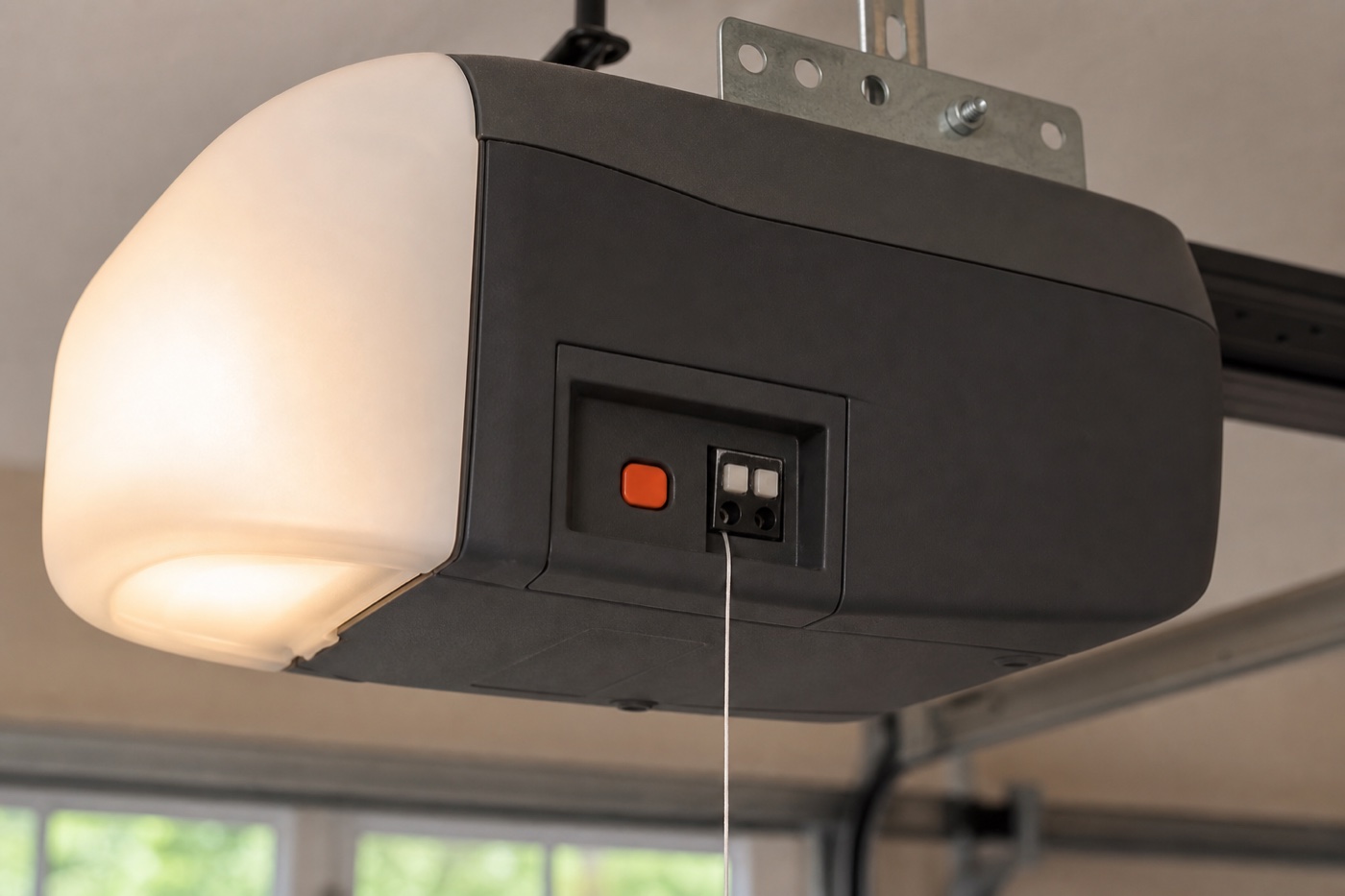
A red-orange Learn button beside the antenna wire on a generic ceiling-mounted garage-door opener
Illustrative photo—your hardware may look different.

Color reference

Start with the color you can see

These color families are used mainly on LiftMaster and Chamberlain openers. Other brands may identify their radio systems differently.

Green Learn button

Billion Code · 390 MHz

An earlier LiftMaster and Chamberlain radio family.

Red or orange Learn button

Security+ 390 MHz

A LiftMaster and Chamberlain Security+ family.

Purple or brown Learn button

Security+ 315 MHz

A later Security+ family that uses a different radio band.

Yellow Learn button

Security+ 2.0

A newer Security+ generation. Match the yellow button, not just the brand.

White Learn button

Newer LiftMaster systems

Use the current manufacturer compatibility selector for the installed system.

Plain language

What do “protocol” and “frequency” mean?

Protocol
A protocol is the radio language a remote uses to talk to the opener.
Frequency
The frequency is the radio band carrying that signal, such as 315 or 390 MHz.

A compatible remote must support the installed system. The Learn button color gives you a useful starting clue.

Where to look

Find the button on the opener motor unit

The Learn button is on the ceiling-mounted opener motor unit, not on the wall control or handheld remote.

  1. Look for the antenna wireFind the thin wire hanging from the opener motor unit. The Learn button is often nearby.
  2. Check around the light coverLook along the sides and back of the motor unit or beneath a light cover designed to swing open.
  3. Match the button itselfUse the color of the plastic button—not a nearby indicator light or wiring terminal.

Ready to check?

Use the color with the hardware you can see.

Identify my opener
Garage-door Learn button colors explained | Garage Remote Finder